TimeDraft 📅
Privacy Policy:
https://timedraft.anishkalra.com/privacy-policy.html
Never waste time coordinating meetings again. TimeDraft is a Chrome extension that instantly generates your Google Calendar availability in a clean, shareable format—perfect for scheduling meetings via email.
Download:
TimeDraft on the Chrome Web Store
What It Does
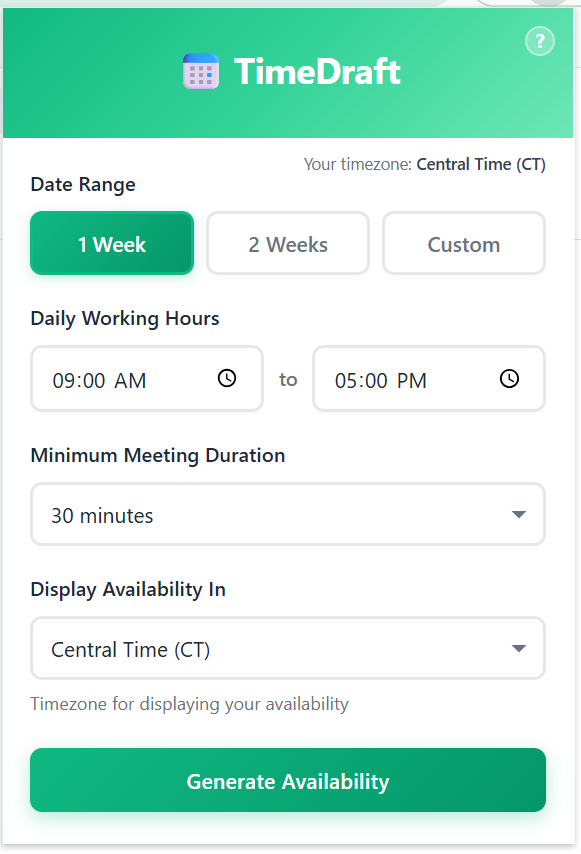
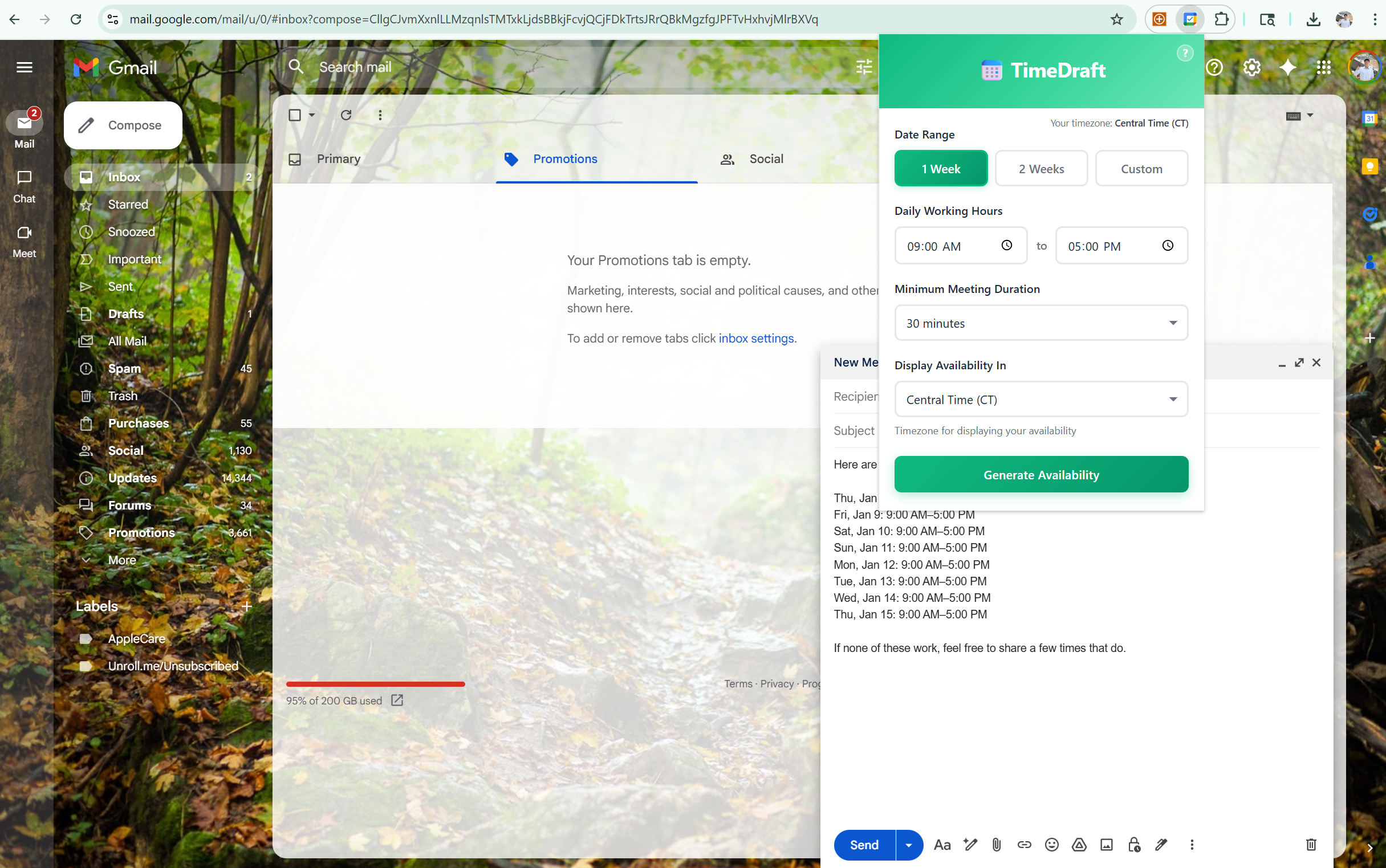
TimeDraft pulls your free/busy times from Google Calendar and formats them into professional availability text that you can paste directly into your emails. Simply specify your preferences (date range, working hours, timezone), click Generate, and copy the results.
Key Features
- Smart Availability Detection - Analyzes your Google Calendar to find free time slots
- Timezone Conversion - Display your availability in any timezone (ET, CT, MT, PT, etc.)
- Customizable Preferences - Set your working hours, minimum meeting duration, and date range
- One-Click Copy - Copy formatted availability text directly to your clipboard
- Privacy-Focused - Only accesses free/busy data, never reads event details
- Secure OAuth - Uses Google's official OAuth flow for calendar access
How It Works
- Click the TimeDraft extension icon in your browser
- Configure your preferences:
- Date Range: 1 week, 2 weeks, or custom dates
- Working Hours: Your typical availability window (e.g., 9 AM - 5 PM)
- Minimum Duration: Shortest meeting length to show (30, 45, 60, or 90 minutes)
- Display Timezone: The timezone for presenting your availability
- Click "Generate Availability"
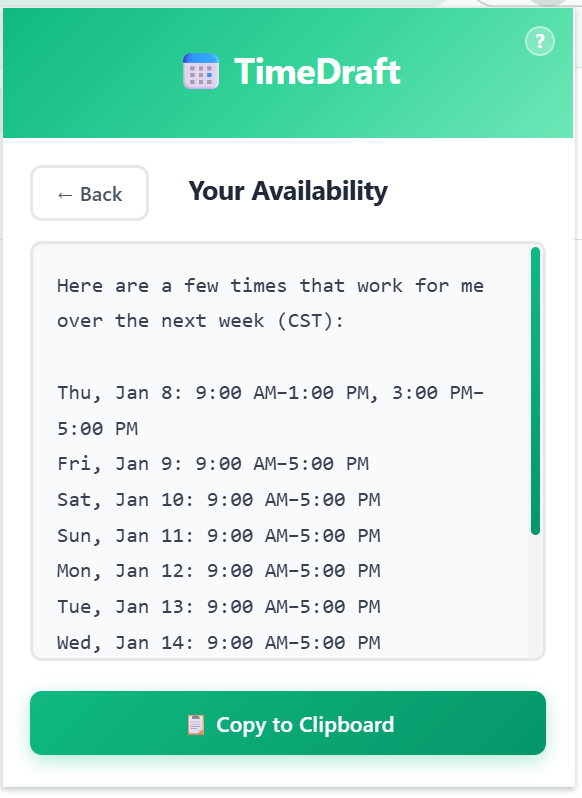
- Copy the formatted text and paste it into your email
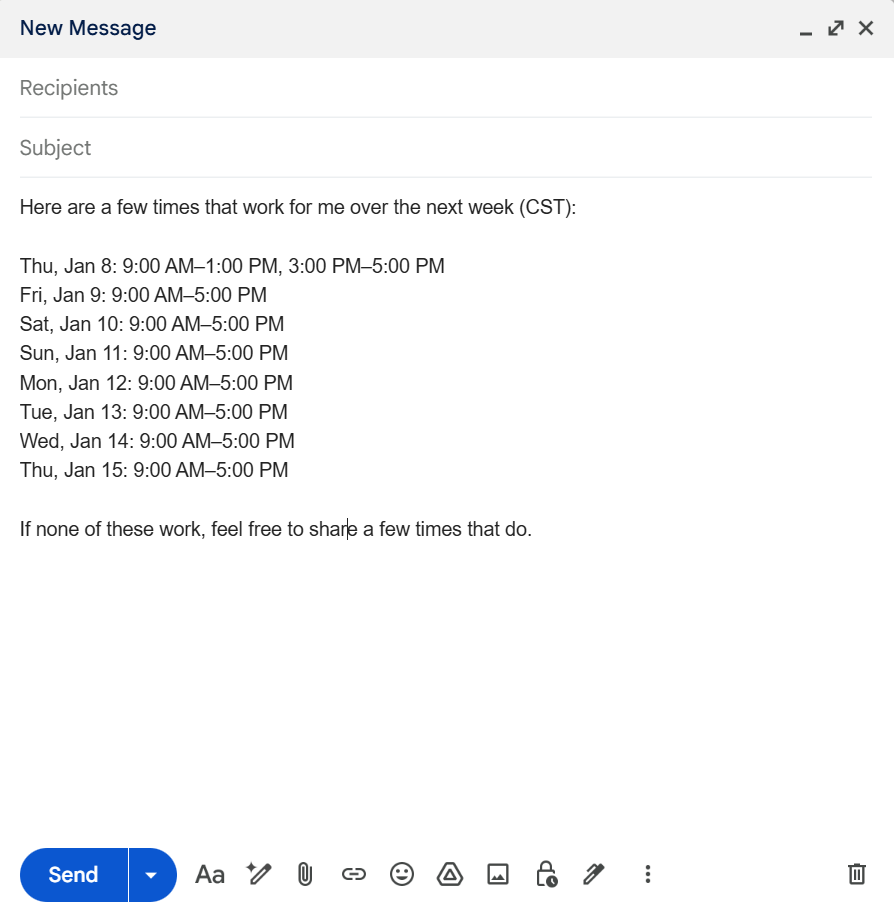
The extension generates professional text like:
Here are a few times that work for me over the next week (ET):

Thu, Jan 8: 9:00 AM–1:00 PM, 3:00 PM–5:00 PM
Fri, Jan 9: 9:00 AM–5:00 PM
Sat, Jan 10: 9:00 AM–5:00 PM
Sun, Jan 11: 9:00 AM–5:00 PM
Mon, Jan 12: 9:00 AM–5:00 PM

If none of these work, feel free to share a few times that do.
Technical Details
Technologies Used
- Chrome Extension Manifest V3 - Latest extension architecture
- Google Calendar API - FreeBusy endpoint for availability data
- Luxon - Industry-standard timezone handling and date manipulation
- OAuth 2.0 - Secure authentication via Chrome Identity API
- Vanilla JavaScript - No frameworks, lightweight and fast
Architecture
- Popup Interface (
src/popup/) - User-facing form and results display
- Background Service Worker (
src/background/) - OAuth handling, API calls, and availability computation
- Core Algorithm - Intelligent free time detection with timezone conversion
- Text Formatter - Generates human-readable availability text
Privacy & Security
Open source - All code is publicly available for review
Minimal permissions - Only requests calendar read access
No data storage - Preferences are not saved; all processing happens locally
FreeBusy API only - Never reads event titles, descriptions, or attendees
Secure OAuth - Uses Google's official Chrome Identity API
Use Cases
- Scheduling 1:1 meetings with colleagues
- Finding time for client calls across timezones
- Coordinating team sync-ups
- Office hours scheduling
- Interview coordination
Requirements
- Google Chrome (or Chromium-based browser)
- A Google account with Google Calendar
Support & Feedback
Found a bug or have a feature request? Open an issue on GitHub
License
This project is open source and available for public review to ensure transparency and security.
Legal:
Privacy Policy